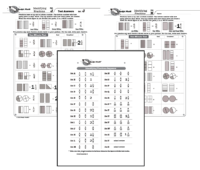
This is a program to ensure that students have a firm and correct understanding of fractions. This will prepare them well for all subsequent work in fractions. They will learn the essential rule about what the numerator and denominator mean, although they won’t be working with those terms. They just learn through examples, practiced over and over.
The number on the top tells how many parts are shaded. The number on the bottom indicates the number of parts in a whole. If a whole is not divided into parts, it is a whole number.
Right from the beginning of Set A students will encounter improper fractions and mixed numbers. They will see examples of every fraction first at the top of the page before they are asked to identify it on their own. You see that students see the fraction, see the words for how we say it and they see the fraction they are to write.
Unlike other Rocket Math programs, the test and the practice items are the same. Of course the students have a page without the answers, while their partner holds the answer key. Students practice by saying aloud to their partner the fractions shown in the test. Then they take the test on those same items, but write the answer.
[otw_shortcode_button href=”https://www.rocketmath.com/worksheet-program-subscription-levels-comparison/ ” size=”medium” bgcolor=”#06427f” icon_type=”general foundicon-left-arrow” icon_position=”left” shape=”radius” color_class=”otw-blue”]Back to Comparison[/otw_shortcode_button] [otw_shortcode_button href=”https://www.rocketmath.com/members/signupuniversal-subscription-options” size=”medium” bgcolor=”#F9BF00″ icon_type=”general foundicon-right-arrow” icon_position=”right” shape=”radius” color_class=”otw-blue”]Continue to Checkout[/otw_shortcode_button]

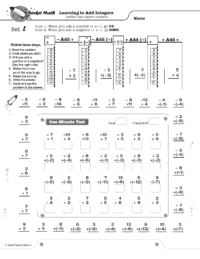
Learning to Add Integers displays problems on a vertical number line and then teaches students two rules about how to solve problems that add positive and negative numbers.
Rule 1: When you add a positive number, go UP.
Rule 2: When you add a negative number, go DOWN.
Doing problems on the vertical number line is more intuitively appealing because UP is more and DOWN is always less. This makes crossing zero a little easier to comprehend.
Students learn how these two rules play out with two types of problems: when starting with a positive number and when starting with a negative number. Students gradually learn all four types of problems. On each worksheet they see how to solve each problem type using the number line working with their partner. Then students learn to recognize the pattern of each problem type by orally answering several examples of each type with their partner (going around the outside of the page). You will probably not be surprised that there is a one-minute test on each set. Students are to be 100% accurate and to meet or beat their goal from the special writing speed test for Learning to Add integers (the fastest goal is only 28 problems in a minute).
4 online lessons teach students how each type of problem is solved and why it is correct.
(1) Add Integers Set A Positive add a positive
(2) Add Integers Set B Positive add a negative
(3) Add Integers Set G Negative add a negative
(4) Add Integers Set L Negative add a positive
[otw_shortcode_button href=”https://www.rocketmath.com/worksheet-program-subscription-levels-comparison/ ” size=”medium” bgcolor=”#06427f” icon_type=”general foundicon-left-arrow” icon_position=”left” shape=”radius” color_class=”otw-blue”]Back to Comparison[/otw_shortcode_button] [otw_shortcode_button href=”https://www.rocketmath.com/members/signupuniversal-subscription-options” size=”medium” bgcolor=”#F9BF00″ icon_type=”general foundicon-right-arrow” icon_position=”right” shape=”radius” color_class=”otw-blue”]Continue to Checkout[/otw_shortcode_button]
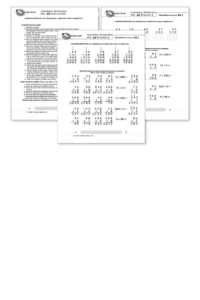
After becoming fluent with multiplication facts the best way for students to retain the knowledge of those facts is by doing multiplication computation. If students have not been taught multiplication computation, this program breaks it down into small, easy-to-learn steps that are numbered in a teaching sequence that leaves nothing to chance.
Note that the number for each skill gives the grade level as well as indicating the teaching sequence. Skill 3b is a 3rd grade skill and after skill 3e is learned the next in the sequence is skill 4a. The sequence of skills is drawn from M. Stein, D. Kinder, J. Silbert, and D. W. Carnine, (2006) Designing Effective Mathematics Instruction: A Direct Instruction Approach (4th Edition) Pearson Education: Columbus, OH.
(3b) Multiplying 1-digit times 2-digit; no renaming
(3c) Multiplying 1-digit times 2-digit; carrying
(3d) Multiplying 1-digit times 2-digit, written horizontally.
(3e) Reading and writing thousands numbers, using commas.
(4a) Multiplying 1-digit times 3-digit
(4b) Multiplying 1-digit times 3-digit; zero in tens column
(4c) Multiplying 1 digit times 3 digit, written horizontally
(4d) Multiplying 2-digits times 2-digits.
(4e) Multiplying 2-digits times 3-digits.
(5a) Multiplying 3-digits times 3-digits.
(5b) Multiplying 3-digits times 3-digits; zero in tens column of multiplier.
For each skill there is a suggested Teaching Script giving the teacher/tutor/parent consistent (across all the skills we use the same explanation) language of instruction on how to do the skill. The script helps walk the student through the computation process. For the teacher, in addition to the script, there are answer keys for the five worksheets provided for each skill.
Each worksheet is composed of two parts. The top has examples of the skill being learned that can be worked by following the script. After working through those examples with the teacher the student is then asked to work some review problems of addition problems that are already known. The student is asked to do as many as possible in 3 minutes—a kind of sprint. If all is well the student should be able to do all the problems or nearly all of them, but finishing is not required. Three minutes of review is sufficient for one day.
There are five worksheets for each skill. Gradually as the student learns the skill the teacher/tutor/parent can provide progressively less help and the student should be able to do the problems without any guidance by the end of the five worksheets. There are suggestions for how to give less help in the teaching scripts.
[otw_shortcode_button href=”https://www.rocketmath.com/worksheet-program-subscription-levels-comparison/ ” size=”medium” bgcolor=”#06427f” icon_type=”general foundicon-left-arrow” icon_position=”left” shape=”radius” color_class=”otw-blue”]Back to Comparison[/otw_shortcode_button] [otw_shortcode_button href=”https://www.rocketmath.com/members/signupuniversal-subscription-options” size=”medium” bgcolor=”#F9BF00″ icon_type=”general foundicon-right-arrow” icon_position=”right” shape=”radius” color_class=”otw-blue”]Continue to Checkout[/otw_shortcode_button]
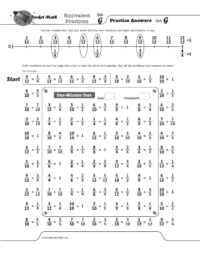
Students need to know that six-eighths is equivalent to three-fourths and that four-twelfths is equivalent to one-third. While they can calculate these, it is very helpful to know the most common equivalent fractions by memory. One of the most common problems students have in fractions is not “reducing their answers to simplest form.”
Here’s a 5 minute Educreations lessons on How the Equivalent Fractions program works.
Part of the Universal subscription package.
Equivalent fractions will help students commit 100 common equivalent fractions to memory. Each set (A through Z) has four fractions which are displayed on a fraction number line. Students frequently learn fractions equivalent to one,such as ten-tenths, as well as fractions that can’t be reduced, for example three-fourths is equivalent to three-fourths. Using the fraction number line will help with student understanding of why those fractions are equivalent.
Click here for the full sequence of 100 Equivalent fractions that students will learn in this program.
Equivalent fractions, Factors, and Integers, are all pre-algebra programs that are appropriate for middle school students who already know the basic facts.
[otw_shortcode_button href=”https://www.rocketmath.com/worksheet-program-subscription-levels-comparison/ ” size=”medium” bgcolor=”#06427f” icon_type=”general foundicon-left-arrow” icon_position=”left” shape=”radius” color_class=”otw-blue”]Back to Comparison[/otw_shortcode_button] [otw_shortcode_button href=”https://www.rocketmath.com/members/signupuniversal-subscription-options” size=”medium” bgcolor=”#F9BF00″ icon_type=”general foundicon-right-arrow” icon_position=”right” shape=”radius” color_class=”otw-blue”]Continue to Checkout[/otw_shortcode_button]