How Can We Help?
(C) Change length of sessions (play time)
Session length (play time) can be 5 min or 10 min.
Sessions are 10 minutes by default. However, you can change the length of sessions to 5 minutes.
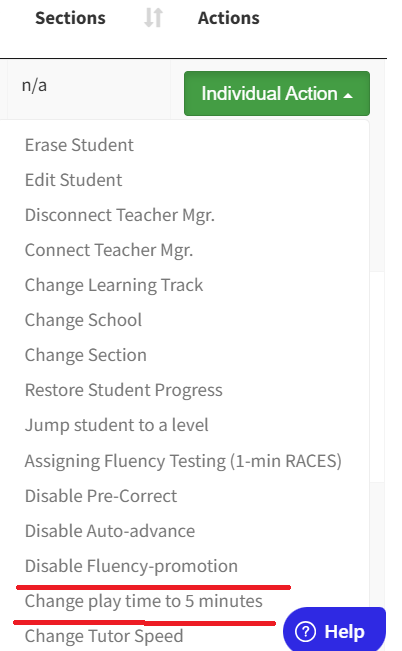
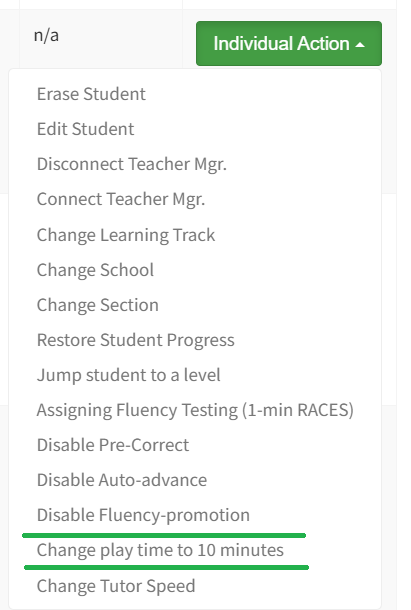
You can change play time for individual students in Individual Actions.
Go to the green Individual Actions button at the right end of each student’s entry in the dashboard.
Pull down from the menu and choose: Change play time to 5 minutes or if it is 5 minutes you can
Change play time to 10 minutes.
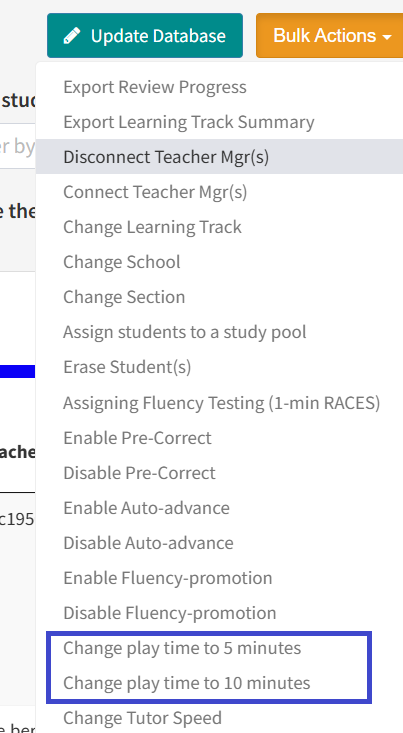
Change play time under orange Bulk Actions button.
Select all the students you want to change. Then go to Bulk Actions and choose either to set their play time (session length) either to 5 minutes or to 10 minutes.