
How Can We Help?
(H) Update (re-roster) your Clever Library roster
If your Rocket Math Online Tutor account is rostered with Clever Library, you have a special procedure to update your class roster. If you are missing a student or two, you need to re-roster. This is the only way to do it. We can’t do it for you.
Begin by logging into Rocket Math Online Tutor at https://admin.rocketmath.com
Once in your account, at the top of the dashboard, you can confirm if you are rostered with Clever Library. See where it says, “Owner of Clever Library?” That’s how you know.
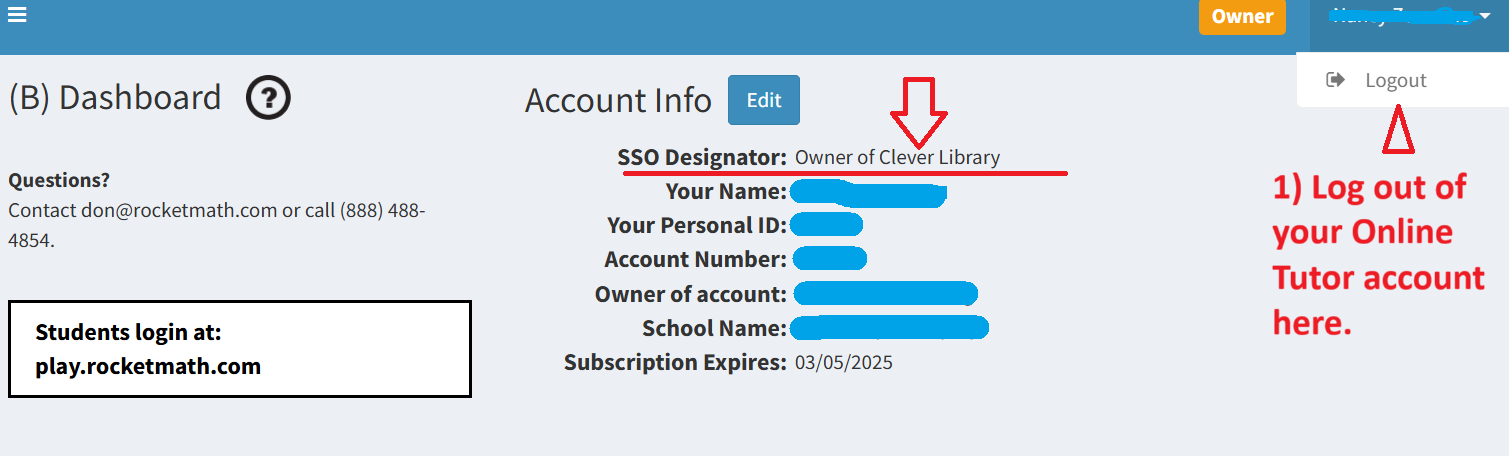
Step 1: Log out of your Rocket Math account
In the upper right of the dashboard is your name (blanked out in the picture above). There’s a tiny arrow by your name, so you can pull down to see the place to log out. Click on it to log out.
Step 2: Log back in with Clever
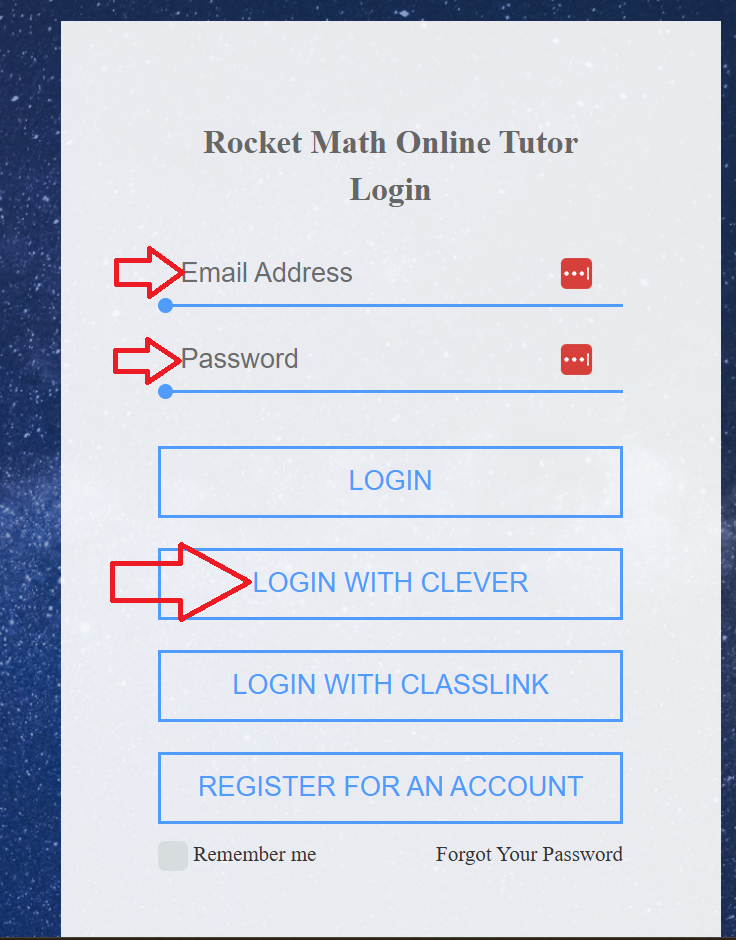 Now that you are logged out, you’ll be taken to the login screen. It looks like this.
First, enter your credentials (email and password). Then click on the LOGIN WITH CLEVER button. That will take you back into your account. Your student roster will now be updated.